
¿What is unlinked? It is an app store for movies, lauchers, video players, etc. Now learn how to install Unlinked on Sony, Philips, Panasonic, Xiaomi, AOC, Hisense, Hyundai, Sherp, etc. Smart TVs.
How to download Unlinked for Android Smart TV?
It is important to mention that Unlinked only works for Android TVs but is not available for Samsung and LG TVs.
Unlinked is currently not available in the Google TV Play Store, therefore, we are going to show you an effective, quick and easy method.
Guide how to install Unliked for Smart TV with Android system
Here are the main steps to run Unliked for Android TV.
Download Downloader application that is in the Google Play app store, it is totally free and will allow you to install Unlinked in a simple way.
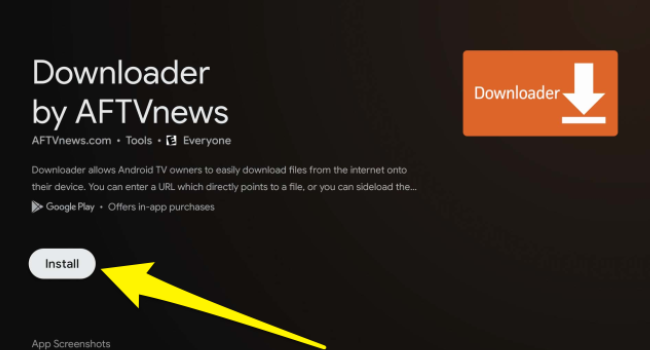
Open Downloader then type the “code” 234753 and click on “GO” then start downloading the application, this will take a few seconds, much depends on the internet speed you have.

Then you have to click on “Install” and finally click on “Open” and in this way you will have access to the application to view its product catalog of apps offered to all users who use Android operating system.
Advantages of using Unlinked for Smart TV
How to use Unlinked on Android TV?
To use the Unlinked app on your Android TV you need an internet connection, for example Wifi or mobile data with 10MB speed.
As it is an application store it is necessary to browse the internet to install or download any file from its main platform.
Why doesn't Unlinked work for Samsung and LG Smart TVs?
The main reason or reason why the Unlinked application is not available for LG and Samsung branded TVs is that they do not use Android system.
It is essential that the TVs use the Android operating system to install Unlinked and thus have an additional application store to the Play Store.
Why can't I install Unlinked on Android TV?
The main reason is because you do not have storage space on your TV, so you have to free up space to run Unlinked.
Another important reason is that you do not have enabled the developer options on your TV and this affects to install third-party apps that comes to be Unlinked.
Deja una respuesta
Entradas Relacionadas