
Unlinked is one of the best applications for FireStick that offers a wide library of application well apart from the Play Store. Learn in detail how to install Unlinked on all models and versions of Unlinked for Fire Stick.
What is Unlinked and how to use it on FireStick?
Unlinked is a library of applications that users create their own store of safe and reliable apps, this allows you to expand more applications that comes with Fire TV by default.
To use Unlinked it is not necessary to have previous knowledge, since its platform is easy to understand and to install external applications on FireStick.
How to download Unlinked on Amazon Fire Stick Tv
Is it free to download Unlinked on Fire TV? Yes, the download of Unlinked is totally free, as well as access to your main platform.
Unlinked is not available in the Play Store app store for various reasons, for this I will guide you how to install Unlinked fast and easy.
Guide how to install Unlinked for Fire Stick
Go to the Amazon Appstore and type “Downloader”.
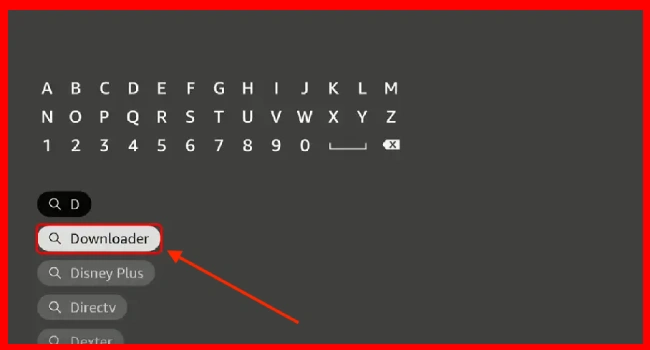
Now you only have to select the “Downloader” application.
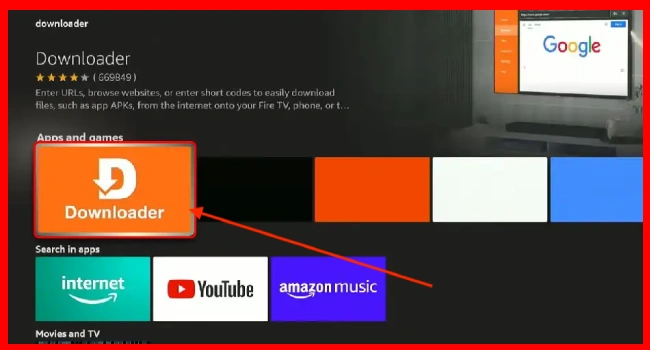
In this window you have to click on the “Download button” and wait for the download to finish and then click on “Open”.

Enable Developer Origins on Fire TV to install Unlinked
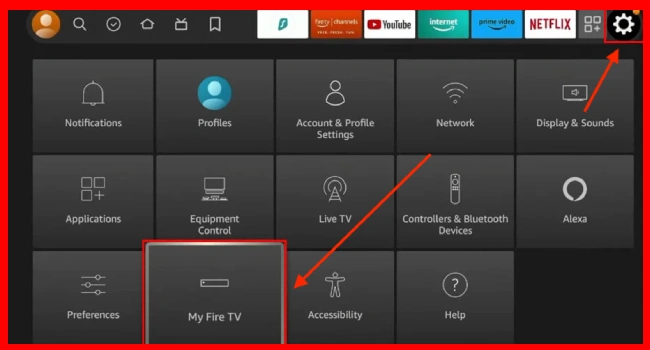
Being on your Amazon Fire TV main platform go to “settings” and select “My Fire TV”.
Press “About” and select the first option may be (Fire TV 4K, Fire TV Lite) and press 7 times in a row until “Developer Options” appears.
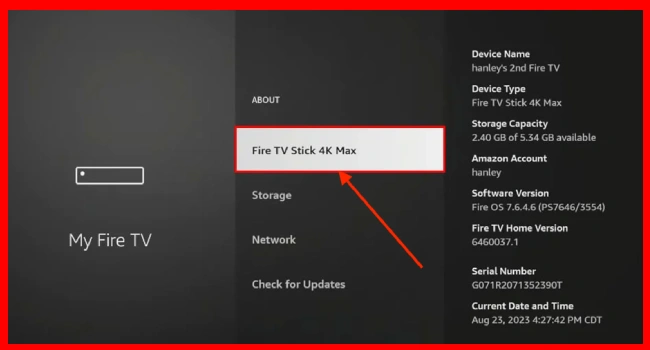
Then go back and click on “My Fire TV” and then click on “Developer options”. Then you have to enable “ADB debugging” and “Apps from unknown sources”.
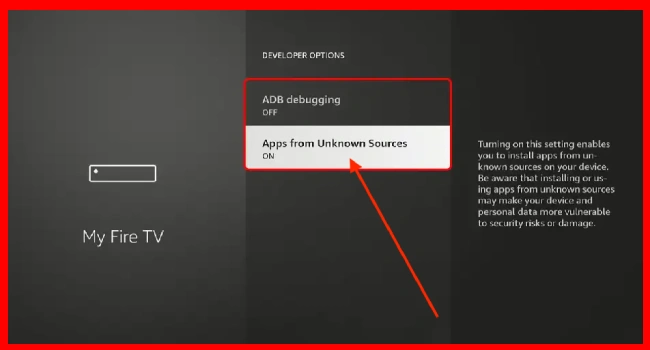
Process of how to download Unlinked in Downloader
Open the application “Downloader By AFTVnews”.
Then in the URL section type the code 234753 and click on the “GO” button.

Then you just have to wait for the Apk file to download and then “INSTALL” and then click on “OPEN”.
Frequently Asked Questions
Is it legal to use Unlinked on Amazon Fire TV Stick?
Yes, as it is true, Unlinked is an application library where each user creates his profile and is free to upload any application.
Do I need an internet connection to browse Unlinked?
As it is an application store, it is very important to have an internet connection to browse its platform and download and install any apk file.
The vast majority of applications displayed on unlinked are free, as you can also find PREMIUM service apps.
How to use Unlinked on Fire TV?
Unlinked is safe to use on your Fire TV, as it allows you to add apps externally, but it is also important to mention that you should be aware not to install pirated apps.
Deja una respuesta
Entradas Relacionadas